

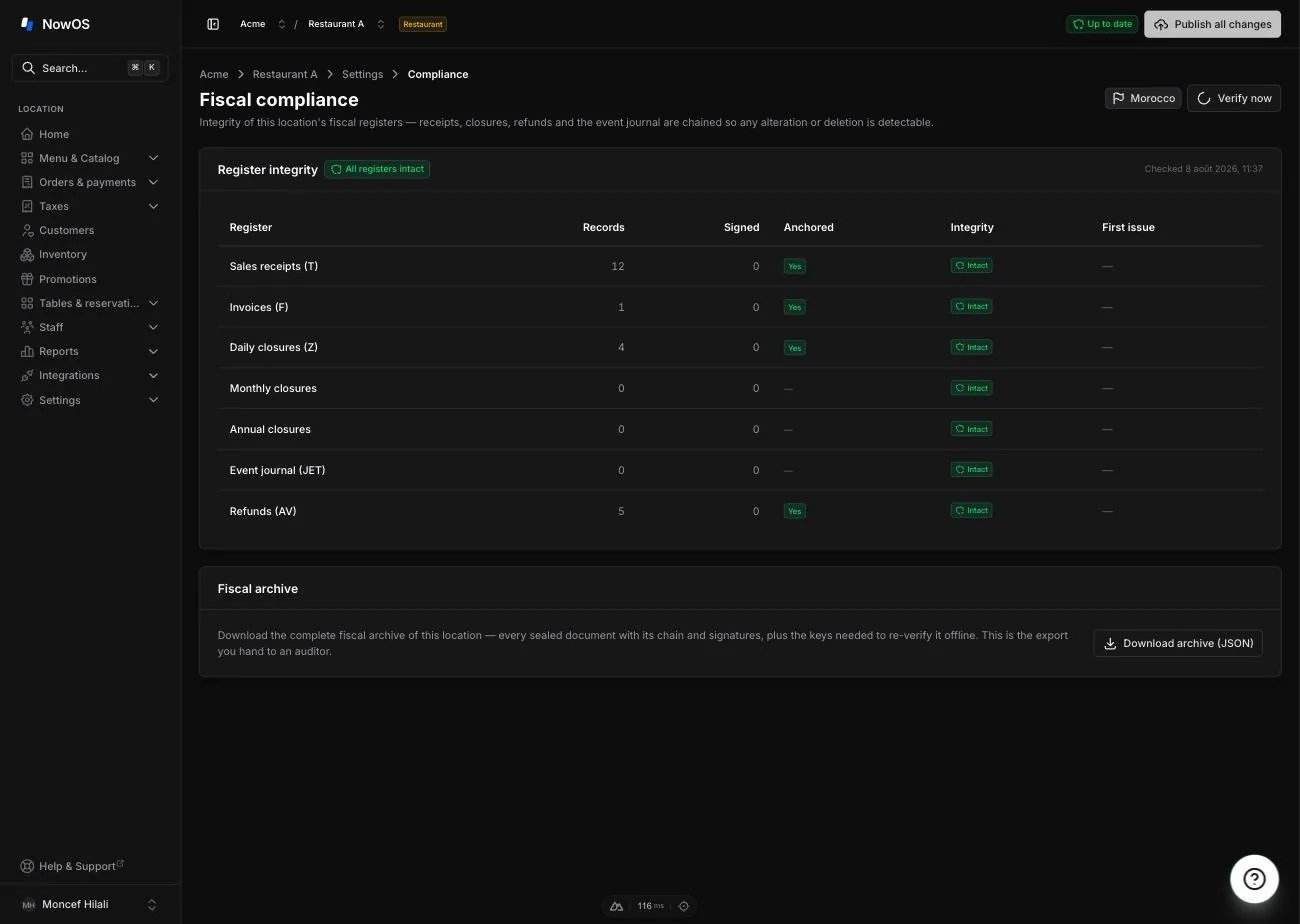
Check the integrity of your registers
The Register integrity table reviews every register of the store: sales receipts (T), invoices (F), daily closures (Z), monthly and annual closures, refunds (AV) and the event journal. The check runs automatically when the page opens; tap Verify now to run it again. For each register you see the number of archived documents and an Intact (green) or Broken (red) badge.The invoices themselves are consulted under Orders & payments →
Invoices — see Orders, sales, and refunds.
Download the fiscal archive
The Fiscal archive card produces a complete file containing every sealed document of the store, in an open, documented format that an auditor can verify without NowOS. Tap Download archive (JSON) and keep the file. This is the export you hand to your accountant or to the tax administration during an audit.France: the electronic signature
When a main register is designated for a French store, it automatically creates a security key protected by the iPad’s hardware and registers it with the cloud. Every receipt, closure and refund is then signed with that key. What you see day to day:- Every printed receipt carries a signature extract and the conformity mention (“Logiciel conforme à la loi anti-fraude TVA…”) with the attestation reference.
- Every reprint carries DUPLICATA and its edition number (“Édition n°2”, “Édition n°3”…): each reprint is traced. See Receipts & printing.
- The Signing keys card on the Compliance page lists the store’s keys. Old keys stay listed after an iPad change — they are still used to verify the documents signed back then.
If the register shows “Fiscal signing key unavailable” early in its life
(right after the main register was designated), the security key is not
ready yet. The register then refuses a few sensitive gestures — starting the
day, pay-ins/pay-outs, voids — rather than recording them unsigned. Check
that the iPad has internet access and try again a few moments later.
France: the certificate of conformity
The Certificate of conformity card shows the publisher’s individual attestation (article 286, I-3° bis of the French tax code): it names the software, its version, its dated reference and your legal business name. Tap Print attestation to print it or save it as a PDF. Keep a copy: this is the document you present during a tax audit.The name on the attestation is the legal business name configured in
Settings → Receipts. Check that it is correct before printing.