

These screens are reserved for managers: sign in with a manager or owner account.
Today’s summary
Open More → Reports. The screen shows the Today card with the current day’s numbers:- Gross sales (completed) — what customers actually paid on completed orders, with discounts and comps already taken off. It is exactly the same figure as “gross sales” on the Z ticket;
- Discounts and Comps — what you gave away during the day. These lines subtract nothing: they explain the gap between what was rung up and what was taken;
- Refunds and Net — what you handed back today, and gross sales minus those refunds. These two lines appear only on the main register, and only when a refund was issued;
- Completed, Open, Cancelled — how many orders are completed, still open, and cancelled;
- Checks today — the total number of orders for the day.
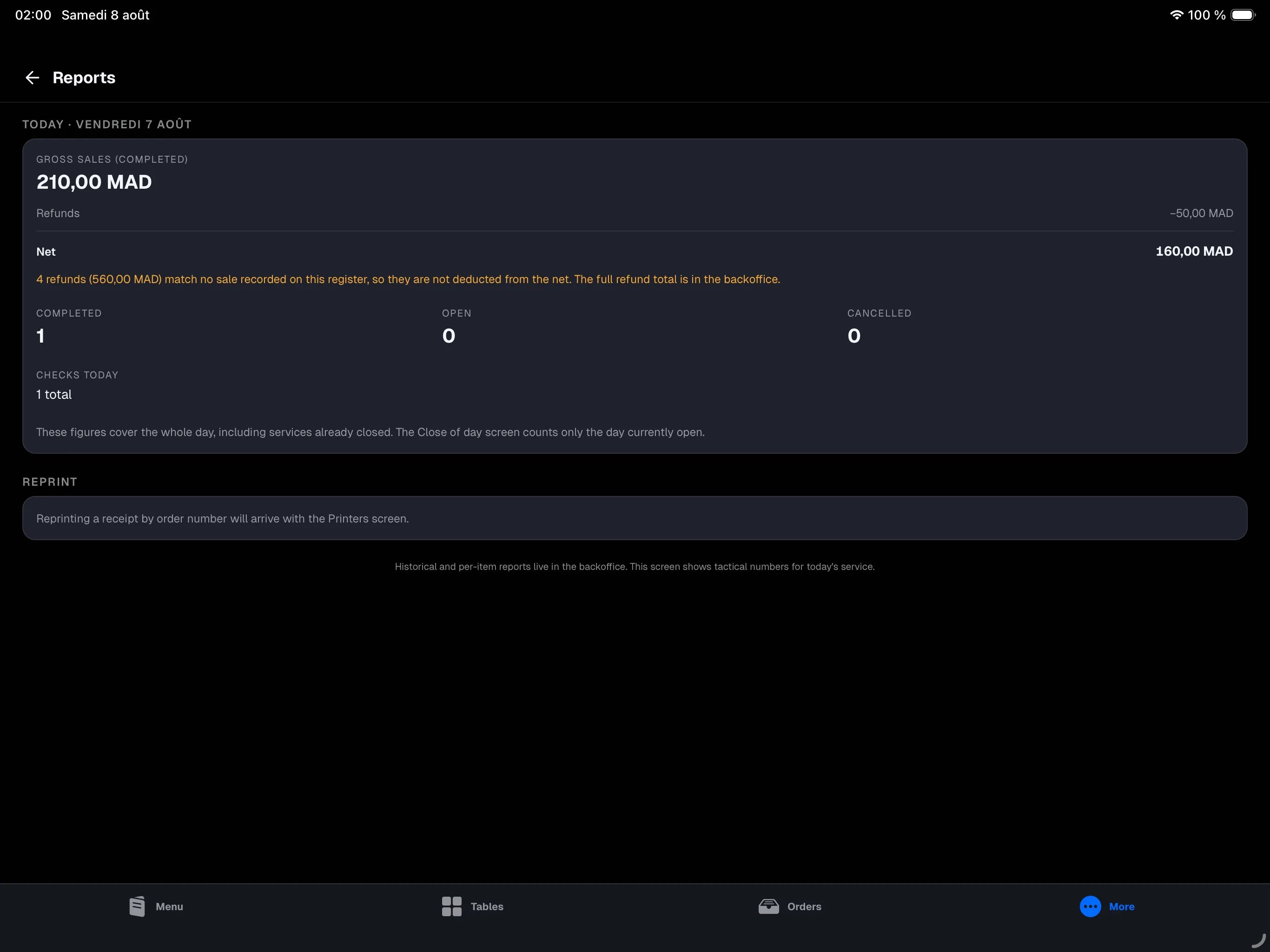
A warning under the figures? If the card says some refunds “match no sale recorded on this register”, this iPad took over as the main register from another device: those refunds are for sales that were not taken here. They are not deducted from Net, so the figure is not distorted by sales this register never had. The full refund total for the period is in the backoffice.
“Today” here means the whole day — including a service you already closed under a Z. If you open and close two services on the same day, a lunch and a dinner, this card adds them up. The This day so far card in close of day counts only the day currently open. The two figures then differ, and that is expected.The day rolls over at the cutoff hour set for your venue (4 a.m. by default): a sale taken at 1 a.m. still belongs to the previous evening’s service, here as on the Z.
Recent sales
Open More → Sales to find recent receipts. Each sale shows its receipt number (Receipt #), time and amount, with a badge if the receipt hasn’t been printed yet or has been reprinted. Tap a sale to expand it:- Print history — the receipt’s print history (original and reprints);
- Reprint — reprint the receipt, see Receipts and printing;
- Issue invoice — issue an invoice for this customer.
The Sales screen is only available on the main register: it holds the store’s sales history. On a secondary device, the screen tells you so.
The closing Z
Each day’s sealed recap — gross sales, discounts and comps, tax by rate, takings by payment method, drawer count and difference — is produced at close and printed on the Z ticket. It is the day’s document of record. See Close of day. “Gross sales” on the Z and on the Today card mean the same thing: what was paid, discounts off, refunds not off. Only the period differs — the Z covers one opened-then-closed day, the card covers the whole day.What lives in the backoffice
For everything beyond the current day, open the backoffice:- order and sales history over time — see Orders;
- historical and per-item reports — see Reports;
- refund tracking over time — refunds never appear in the Z totals — see the refunds report. The backoffice uses the same vocabulary as the register: gross is the sealed sales, net is gross minus the range’s refunds.