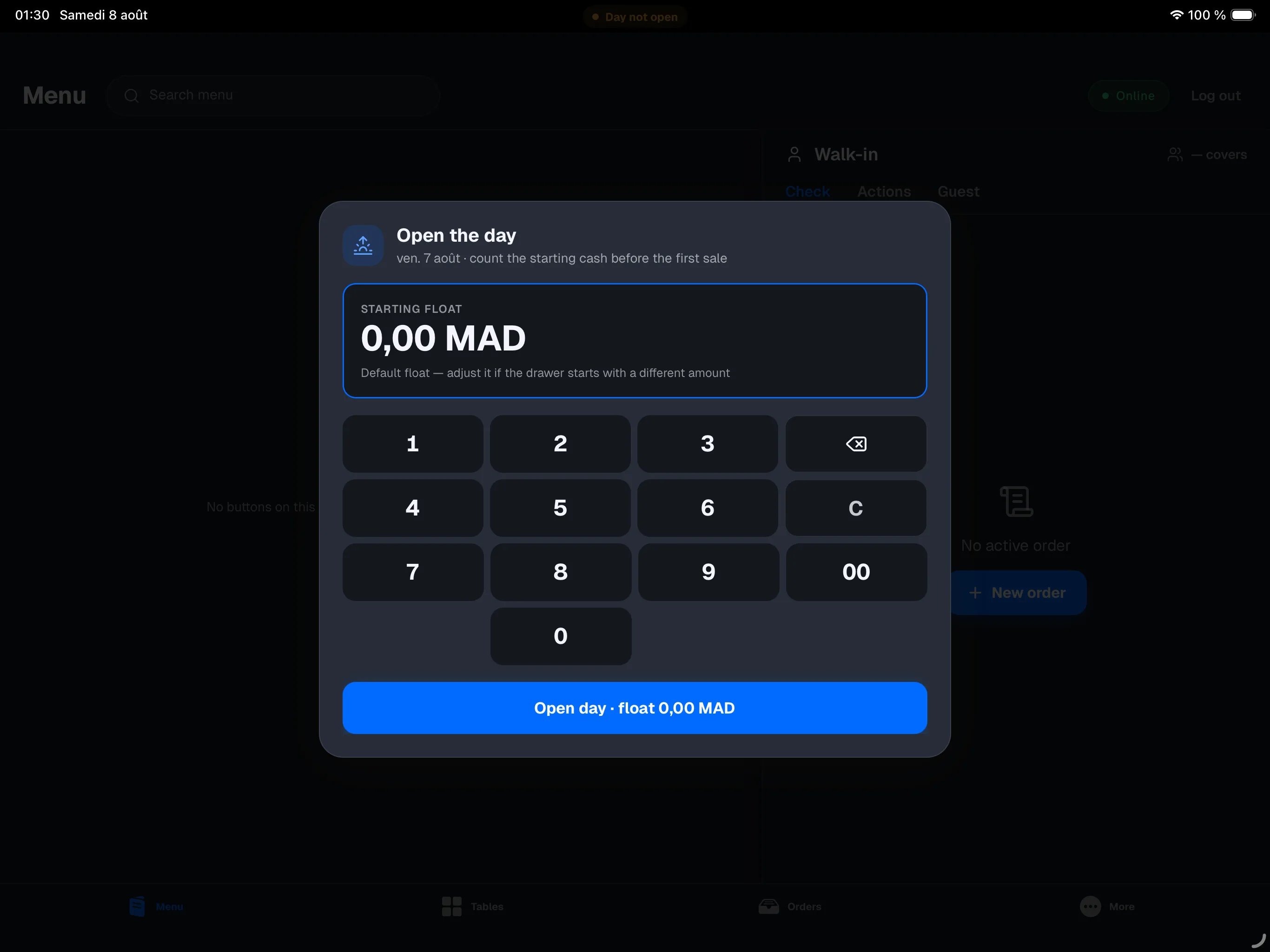
The business day is the envelope around your selling day: it opens in the morning with the opening float, collects every sale and cash movement, then gets sealed in the evening at close of day. Start of day works the same way in restaurant mode and retail mode.
When the register offers it
You don’t have to think about it: the register prompts you to open the day at the right moment.
- At sign-in. Right after your PIN, if no day is open, the Open the day window appears. You can dismiss it if you’re not ready yet — a “Day not open” chip then stays at the top of the screen; tap it to open the day at any time.
- At the first payment. Taking orders doesn’t require an open day, but taking a payment does. If the day still isn’t open when you tap Pay, the same window appears — open the day and the payment continues. See Taking payments.
- From the Close of day screen. If you open More → Close of day with no day open, the register offers to open it there too.
Opening the day
Count the cash in the drawer
Before the first sale, count what is actually in the cash drawer.
Check the suggested amount
The STARTING FLOAT card shows your location’s default float, already pre-filled.
Adjust if needed
If the drawer doesn’t hold exactly that amount, enter the real amount on the keypad.
Tap Open day
The Open day button shows the float you settled on. The day is open: you can take payments.
The float you enter at opening is the starting point for the expected-cash calculation in the evening. Take the time to count it: a rough float in the morning becomes an unexplained difference at night.
The reminder about yesterday
If the previous day was closed, the opening window shows a reminder: yesterday’s date, its Z number, the amount counted (or “drawer not counted” if the drawer wasn’t counted), and how many orders were left open and carried over to the new day.
Days that end after midnight
If your venue closes after midnight, late-service sales still count toward the current day: a sale taken at 00:45 belongs to the day opened the evening before, not to the next day.
The switch happens at your location’s cutoff hour (04:00 by default, adjustable in the backoffice). Before that hour, everything stays attached to the previous day’s business day.
If yesterday’s day was left open
Sometimes a team leaves without closing. The register never blocks the morning team because of it: when you open the new day, the forgotten day is sealed automatically and the orders left open are carried over. The float you enter in the morning restates the reality of the drawer. For the details of this automatic catch-up, see Close of day.