

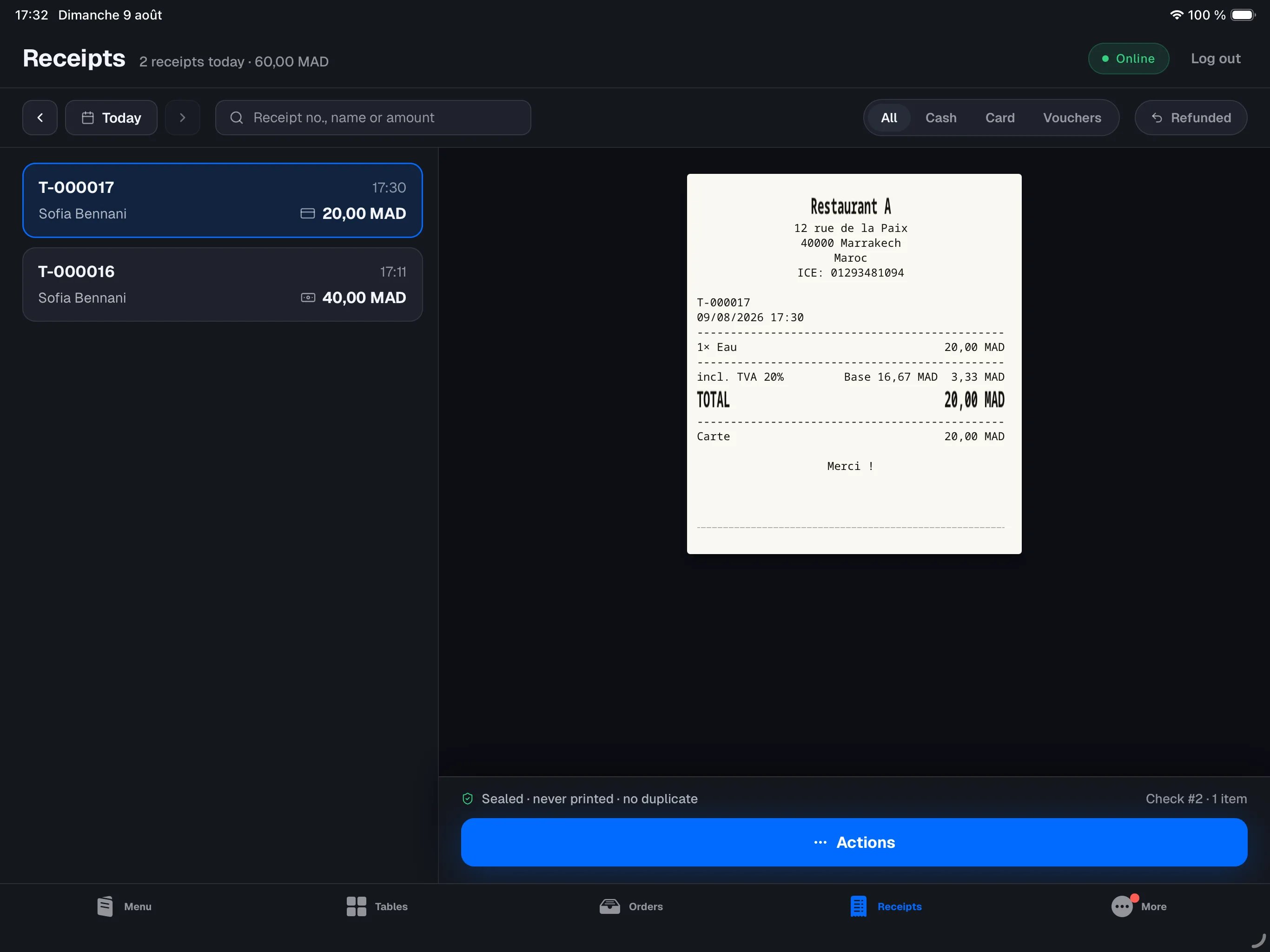
The tab only exists on the main register — it is the device that holds
the sales history. It does not appear on other devices.
The list
By default the list shows the current business day, newest first, and updates live: a payment taken on any device — including the iPhone on the floor — appears right away. Each card carries the receipt number (T-000123), the table or takeaway name, who took the payment, the time, the payment method and the amount. Two badges may appear: Refunded (with the amount returned) and Invoice when one has been issued.
At the top of the screen, the day summary breaks the takings down by payment method — “Cash 1,240.00 · Card 3,180.00” — so you can follow the payments as they land without waiting for the close of day.
The arrows next to the search bar step through past days; tap Back to today to jump back to the current day. History goes back to the first receipt ever issued on this register.
Search and filters
Search takes whatever you have at hand:- the receipt number —
605,#605orT-000605; - the exact amount —
510or510.00; - a name — the table, the takeaway name, or the operator.
The preview
Tap a receipt: it renders on the right exactly as it came out of the printer — same lines, same totals, same mentions. Below the receipt, any linked credit notes (AV-…) appear with their amount and reason; each can be reprinted in one tap.
The bottom bar confirms the receipt is sealed, whether it was printed and how many duplicates exist.
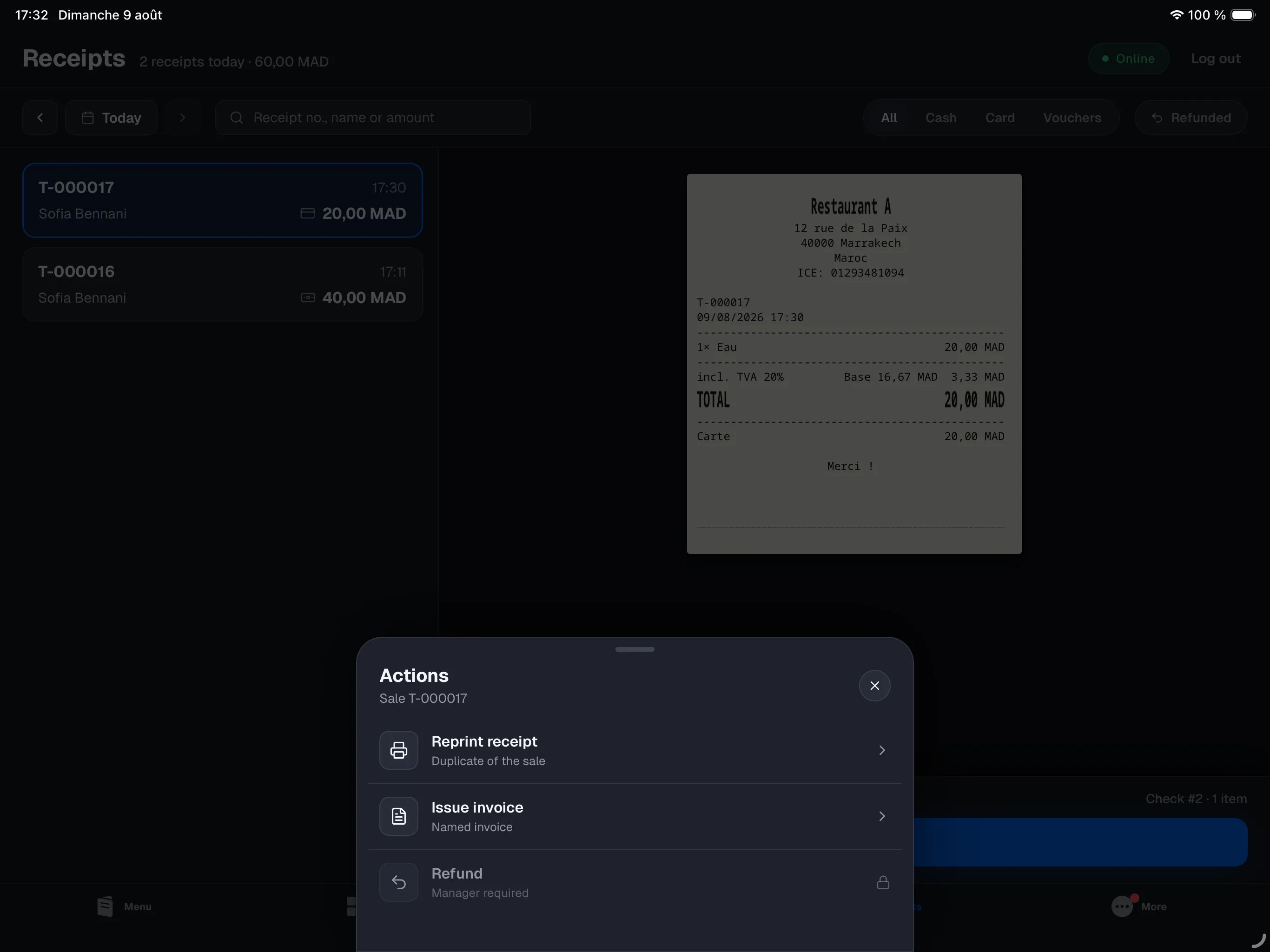
Actions
The Actions button opens what can be done with the selected receipt:- Reprint receipt — the copy carries the DUPLICATA mention; the original stays unique (a legal requirement).
- Issue invoice — the
F-…invoice reflects the sale as it was sealed; see Payments. - Refund — in full or item by item, with a mandatory reason. Manager-only and requires an internet connection; see Refunds.
An issued receipt never changes: no “reopening”, no changing the payment
method after the fact. To correct a sale, refund it and ring it up again —
every document stays traceable.