

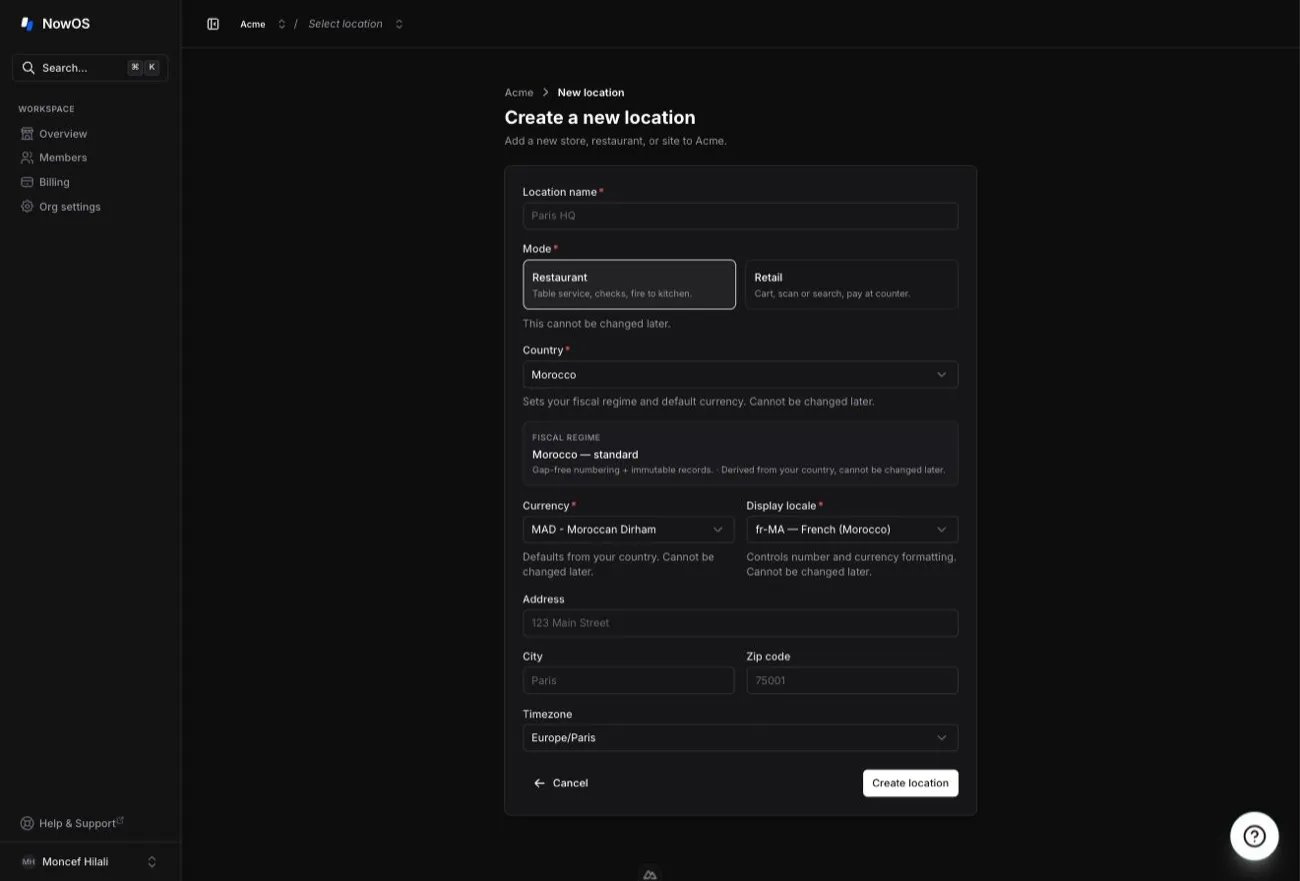
The mode is set per location. If you run several establishments, each one has
its own mode.
Restaurant mode
Built for counter and table service: you build the order over the course of the meal, send work to the kitchen, and collect payment at the end. On the register, the main tab is called Menu. The typical flow:1
Build the order
Add items from the menu. New lines stay pending, visible only to you, until
they are sent.
2
Send to the kitchen
Tap Send: the lines go to preparation and the kitchen tickets print. You
can keep adding items and send several times on the same order.
3
Collect payment
Tap Pay once at least one send has happened. For a table paying
separately, tap Split first.
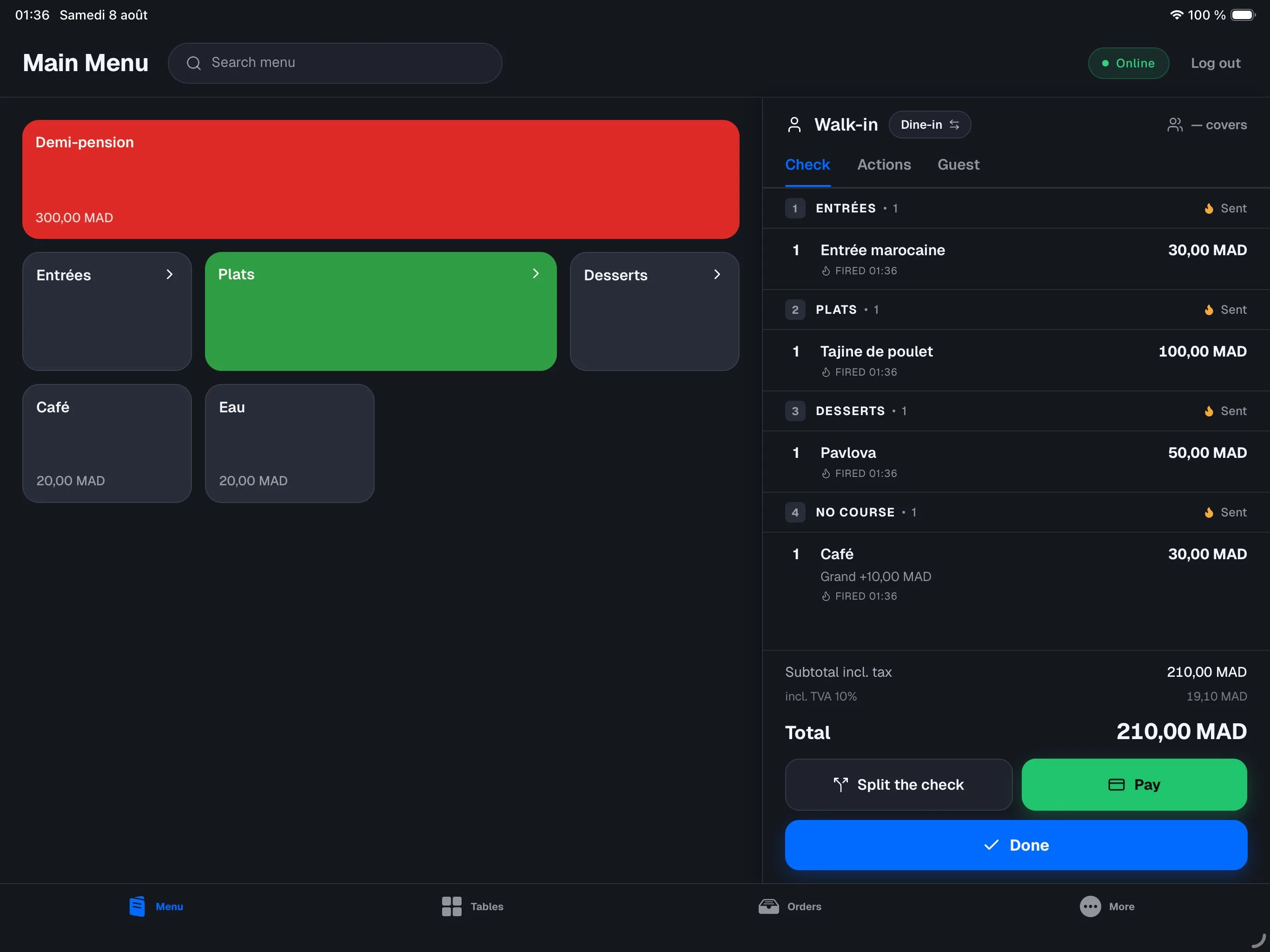
- Dine-in / takeaway: every order carries a type, which you can toggle mid-order. It can affect the VAT applied.
- Splitting the check: evenly or by item. A guest can pay their share and leave while the table stays open. See Payments.
- Covers and the kitchen note: you can record the guest count and a note printed at the top of the kitchen tickets. See Managing an order.
- Kitchen tickets: each send prints on the configured kitchen printers. See Receipts and printing.
The register also shows a Tables tab: the floor plan and table management
are available. See Tables & reservations.
Retail mode
Built for counter sales: you fill a cart, then collect payment in one go. On the register, the main tab is called Catalog, and there is no Tables tab. The typical flow:1
Fill the cart
Add items by touch, by search, or by scanning their barcode with the iPad’s
camera. Every successful scan gives a beep and a vibration.
2
Collect payment
Tap Pay: choose the payment method (Cash, Card…), enter the
amount, and the sale is complete. You can combine several payments (for
example half cash, half card).
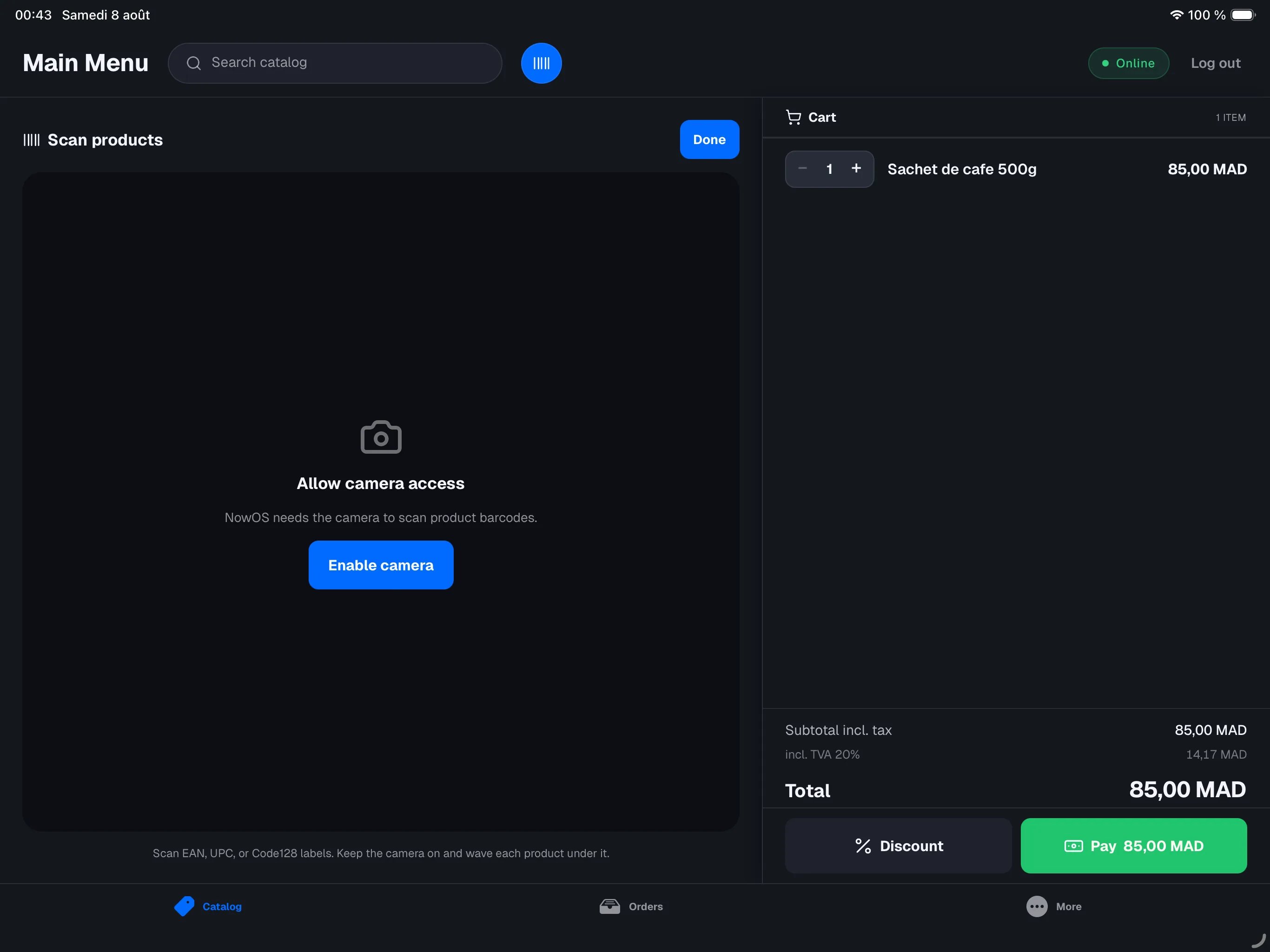
- No kitchen send: nothing stands between the cart and payment.
- One check per order: no splitting the check.
- No dine-in / takeaway: orders have no type to choose.
- Barcode scanning: the camera reads common product labels (EAN, UPC, Code128).
What stays the same
Whatever the mode, the foundation is identical:- the main register and secondary devices — see The main register
- the business day: start of day, close of day, the blind count — see Close of day
- cash and card payments, receipts, refunds — see Payments and Refunds
- taxes, staff and reports in the backoffice — see The backoffice
In the backoffice
The backoffice adapts its sections to the location’s mode:- In restaurant mode you manage your menu; in retail mode, your catalog of products. See Menu and catalog.
- The Tables section only appears in restaurant mode.
- Printer configuration targets kitchen printers in restaurant mode, the receipt printer in retail mode. See Devices.